Portable Media Libraries
Your photos shouldn't be trapped inside a proprietary database that you can't access or move. LocalPhotos treats your existing folders as the source of truth.
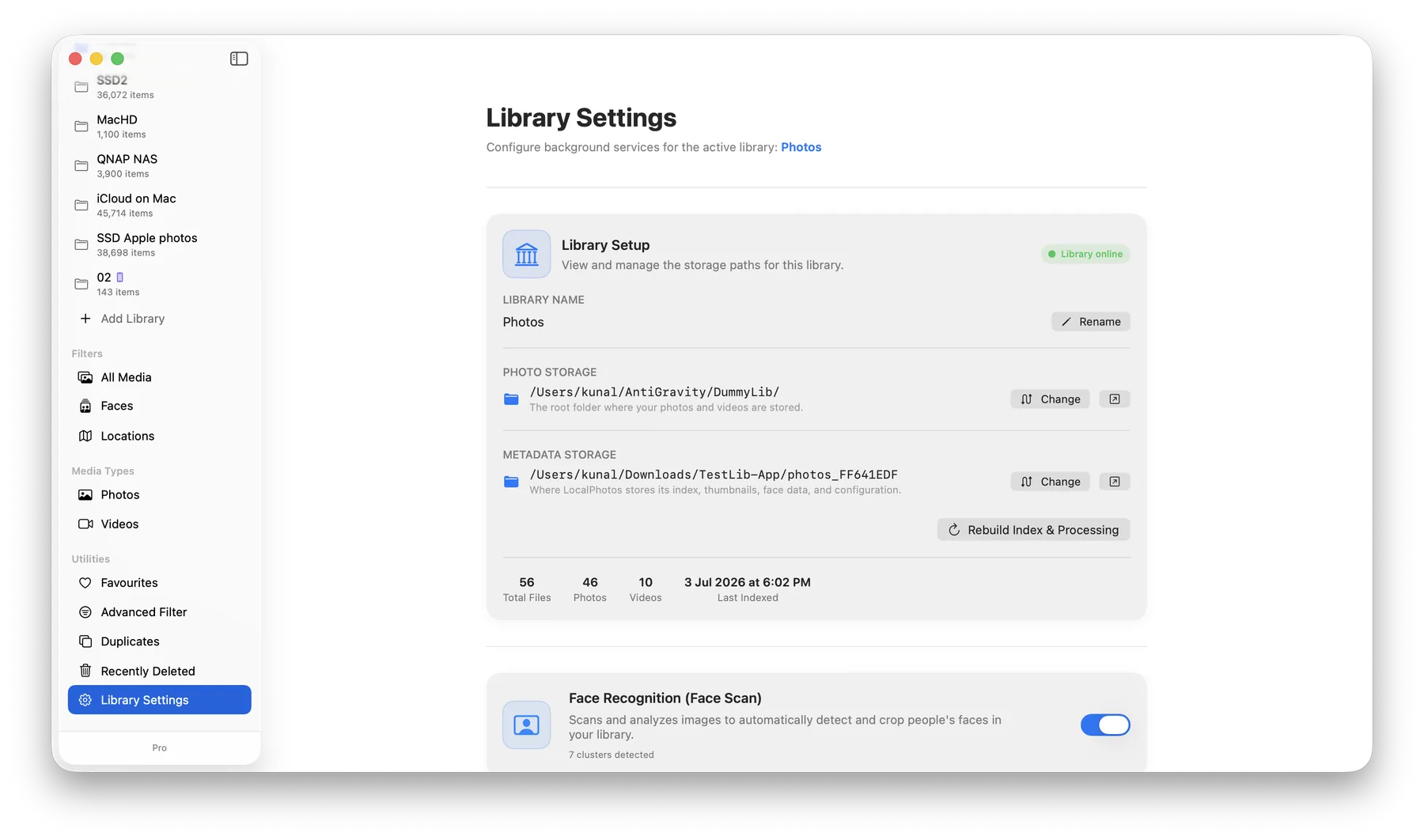
Custom Metadata Location
Instead of copying your massive photo collection into an opaque container, LocalPhotos simply indexes the folder you select. When registering a library, you choose exactly where the metadata lives—whether that's right next to your images, or stored on a completely different drive for maximum flexibility. This metadata folder stores your face models, duplicates data, and high-speed thumbnails.
Perfect for NAS & Huge Libraries
Have an enormous photo and video collection stored on a Network Attached Storage (NAS)? No problem. You can manage your entire media library directly from your NAS over the network, while selecting your Mac's internal high-speed SSD as the metadata location. This hybrid approach ensures your UI and scrolling remain blazingly fast, even for massive remote libraries.
Plug and Play Anywhere
Because the metadata is decoupled from a rigid database, you can also put your library on an external hard drive. Plug that drive into any Mac running LocalPhotos, point the app to your metadata folder, and your entire library—including face tags and albums—will instantly load without needing to rescan!