Your photos. Your Mac.
Your privacy.
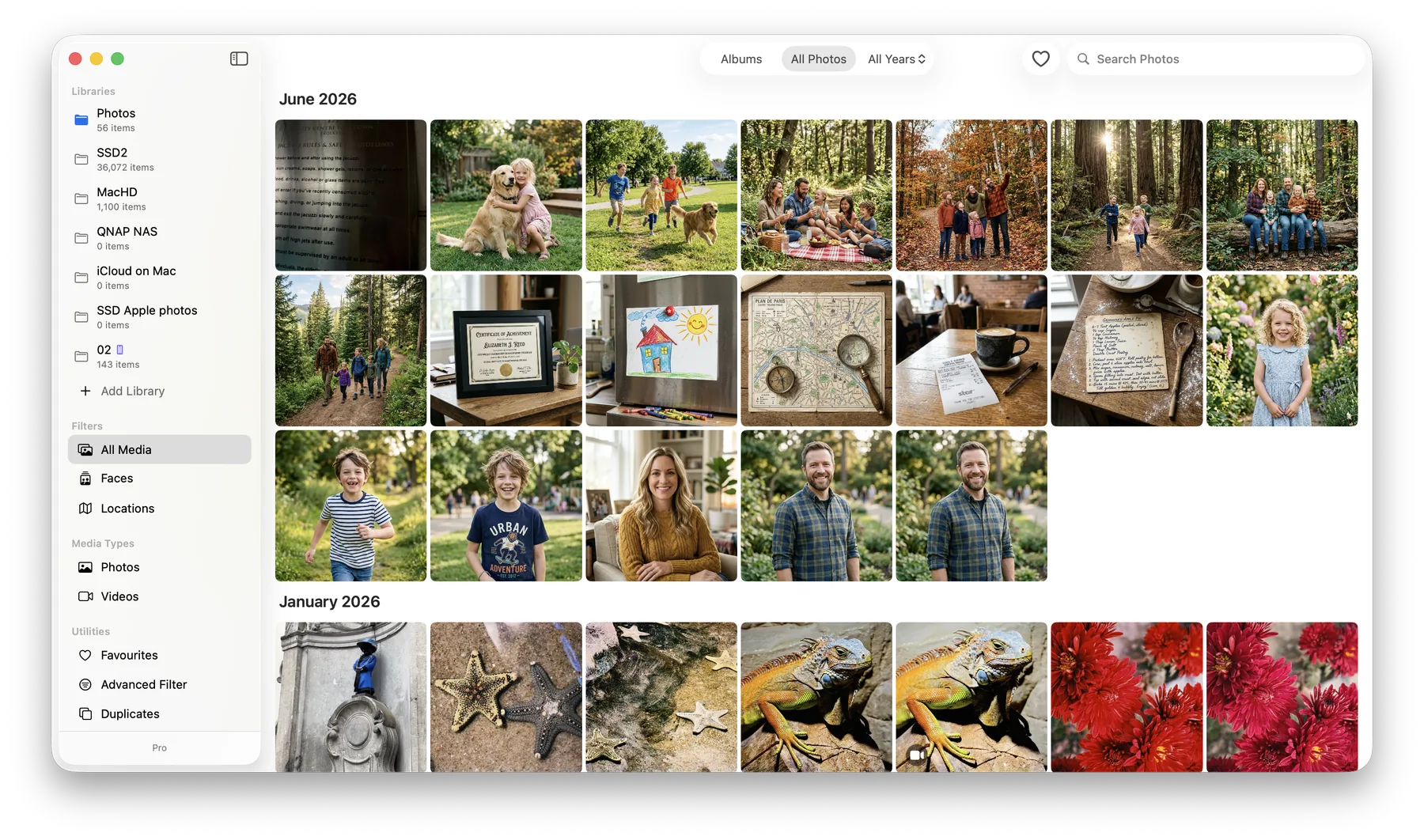
LocalPhotos organizes a lifetime of memories right on your Mac — people, places, powerful search, and duplicate cleanup — without ever uploading a single photo to the internet.

21-day free trial · One-time purchase · No account needed
- No cloud uploads
- No subscription — pay once
- No account, no tracking
- Core library works offline
Simple enough for anyone.
No tech skills needed — if you can open a folder, you can use LocalPhotos.
Point it at your photos
Choose the folders where your photos already live — on your Mac, an external drive, or a network drive. Nothing is moved or copied.
It organizes everything
LocalPhotos quietly groups people, maps places, reads text in images, and finds duplicates — all on your Mac, never on a server.
Find any memory in seconds
Type a name, a place, or even words written inside a photo — and jump straight to the moment you're looking for.
Everything your photos deserve.
Powerful tools that respect your privacy — from grandparents' scanned albums to a photographer's RAW archive.
Faces & People
LocalPhotos automatically groups the people in your photos, entirely on your device. Review, rename, and merge groups whenever you like.
Learn More →Search Everything
Find photos by name, place, date, camera — even by words written inside the picture, like a sign or a receipt.
Learn More →Clean Up Duplicates
Find exact and near-identical copies and reclaim gigabytes of space. You review every match, and removals go to the macOS Trash so nothing is lost by accident.
Learn More →Your Library, Anywhere
Keep photos on external drives or a NAS while the app stays lightning fast. Move a whole library to another Mac without rescanning.
Learn More →iCloud, Backed Up Locally
Download your iCloud photo library to your own drive and keep a real, offline backup you control — then free up space on your Mac with the built-in Space Saver.
Private by Design
No servers, no analytics, no tracking. Your photos and face data live only in folders you choose on your own drives.
Learn More →Every face, remembered.
From baby pictures to last weekend's barbecue, LocalPhotos gathers each person's photos across the years — automatically, and only on your Mac.
Explore Face Recognition →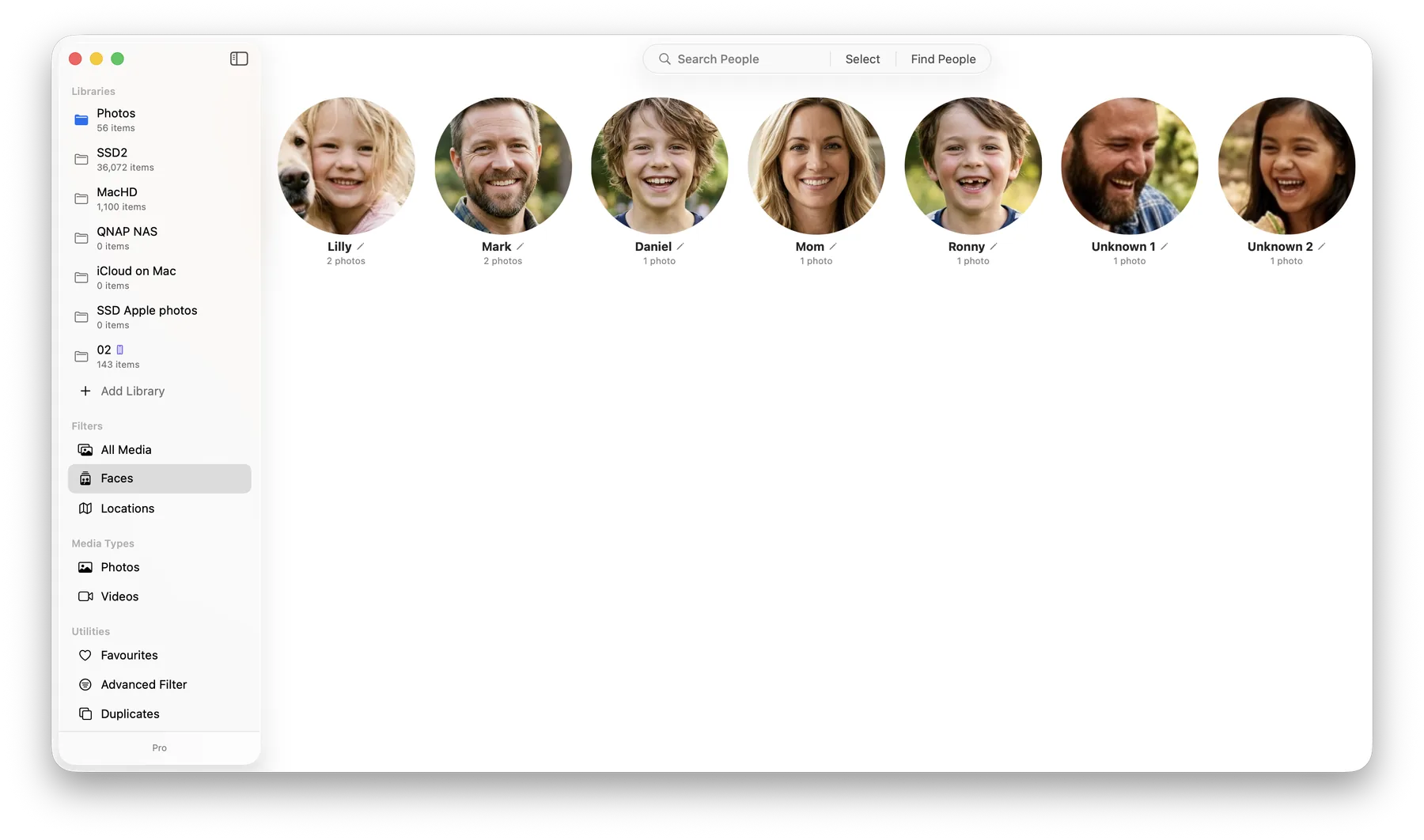
Travel back to every place.
See your memories on a world map — the family trip, the old neighborhood, the café you loved. Tap a place and relive it.
Explore Search & Places →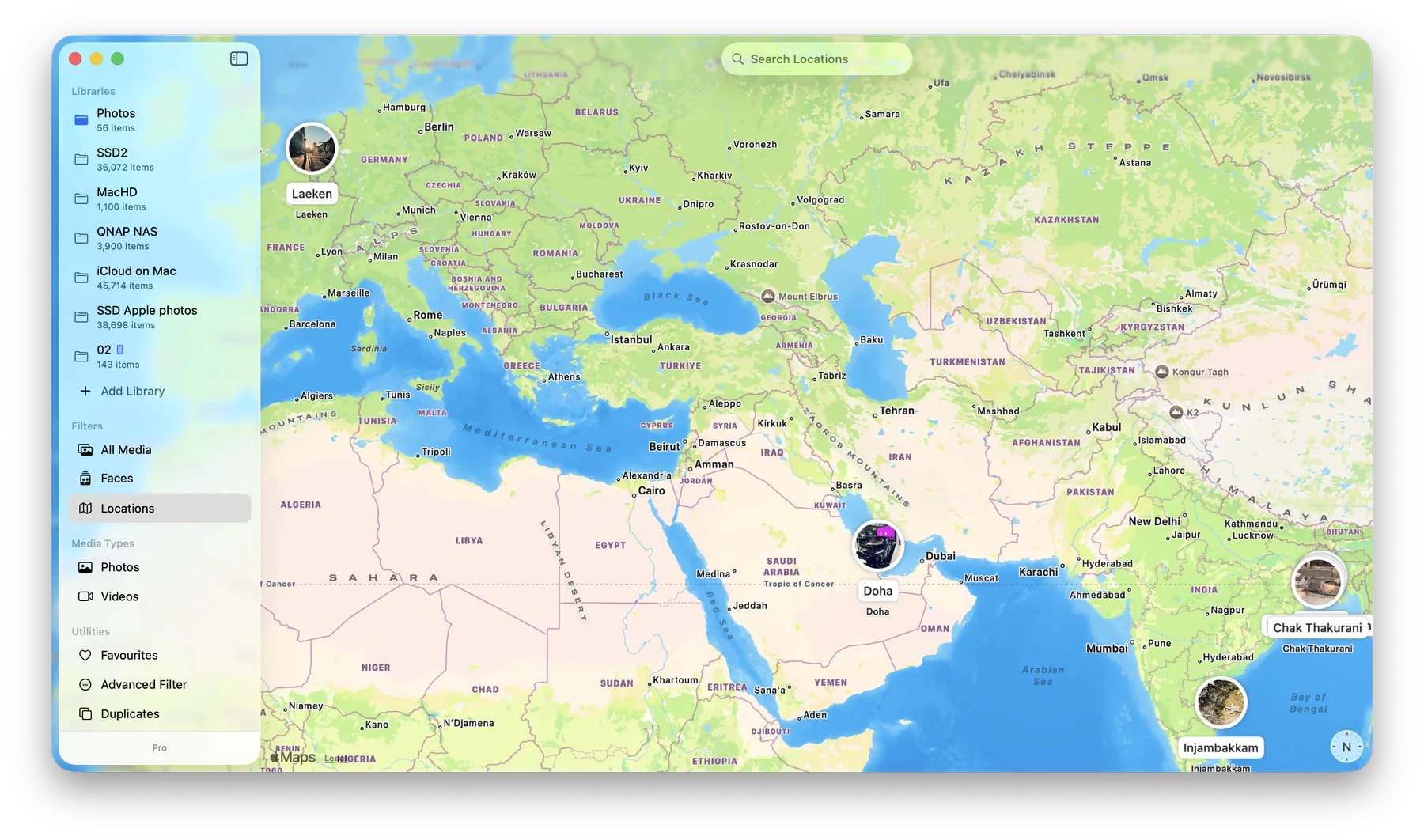
Free up space in minutes.
Years of copies, screenshots, and re-saved images add up. LocalPhotos finds them, shows them side by side, and lets you decide what stays.
Explore Duplicate Cleanup →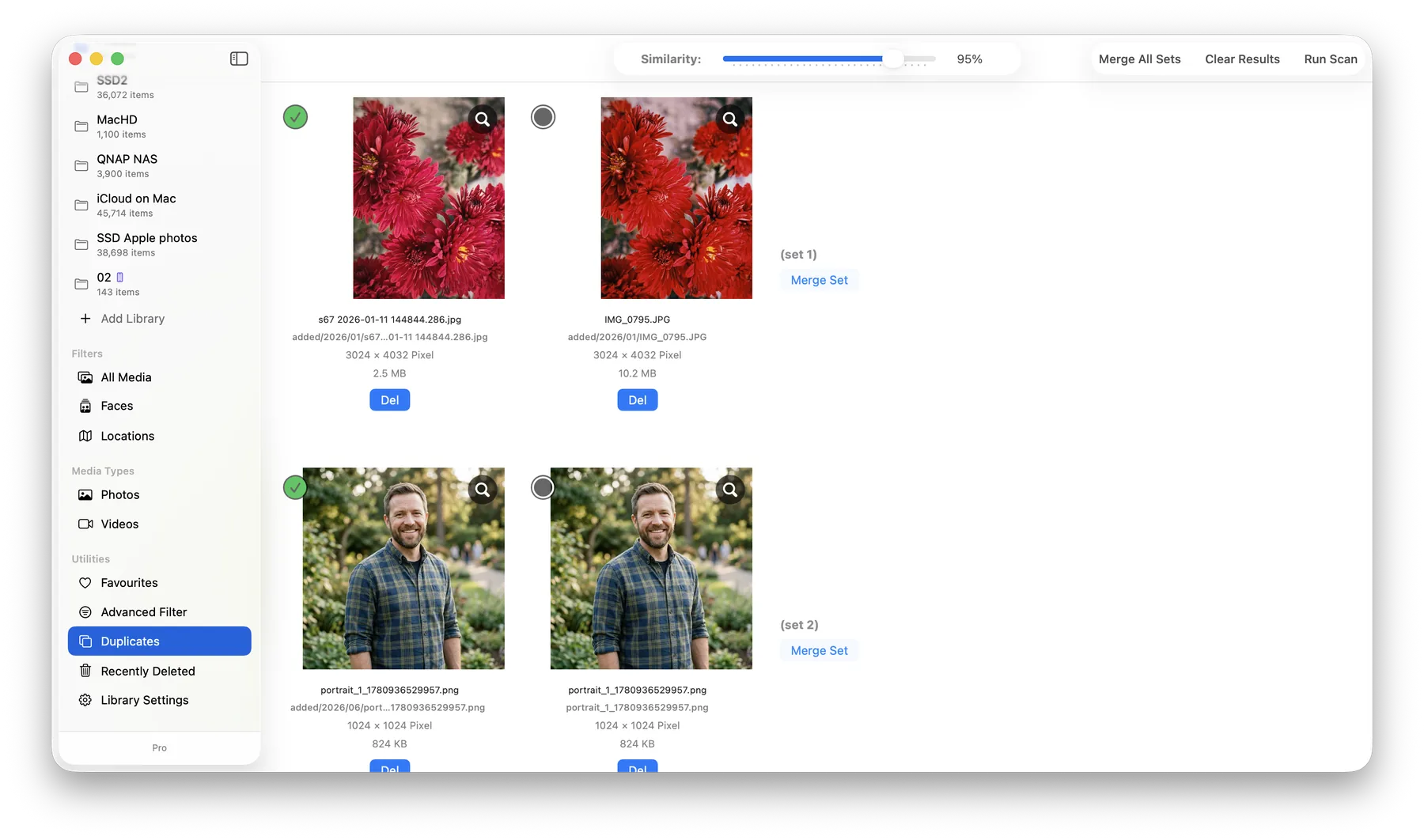
Take your library everywhere.
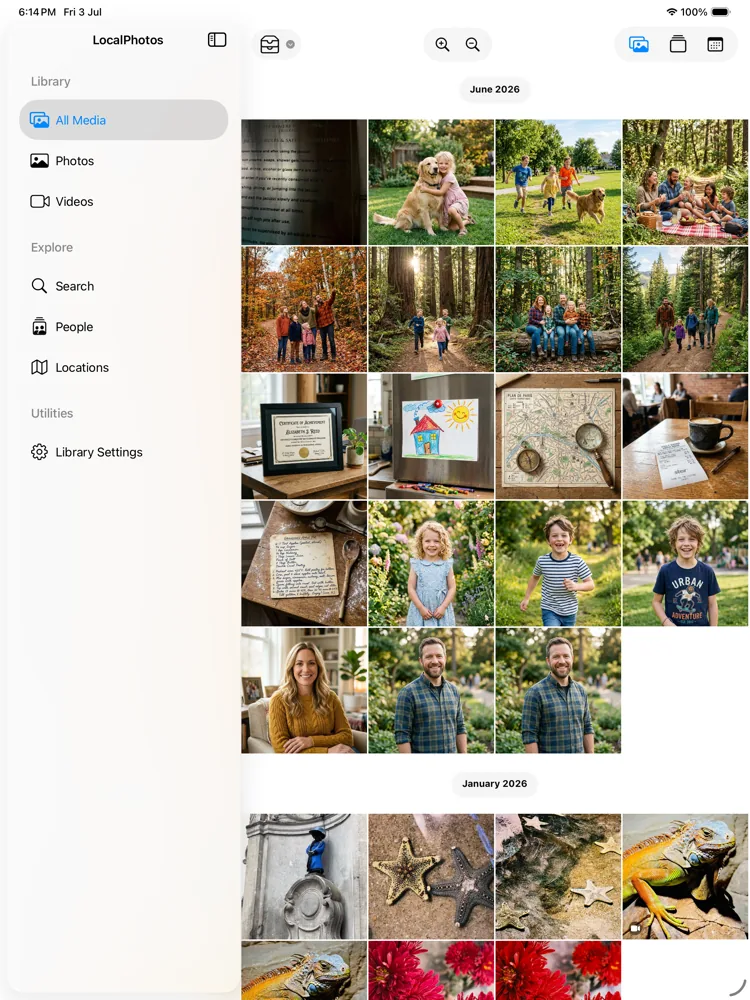
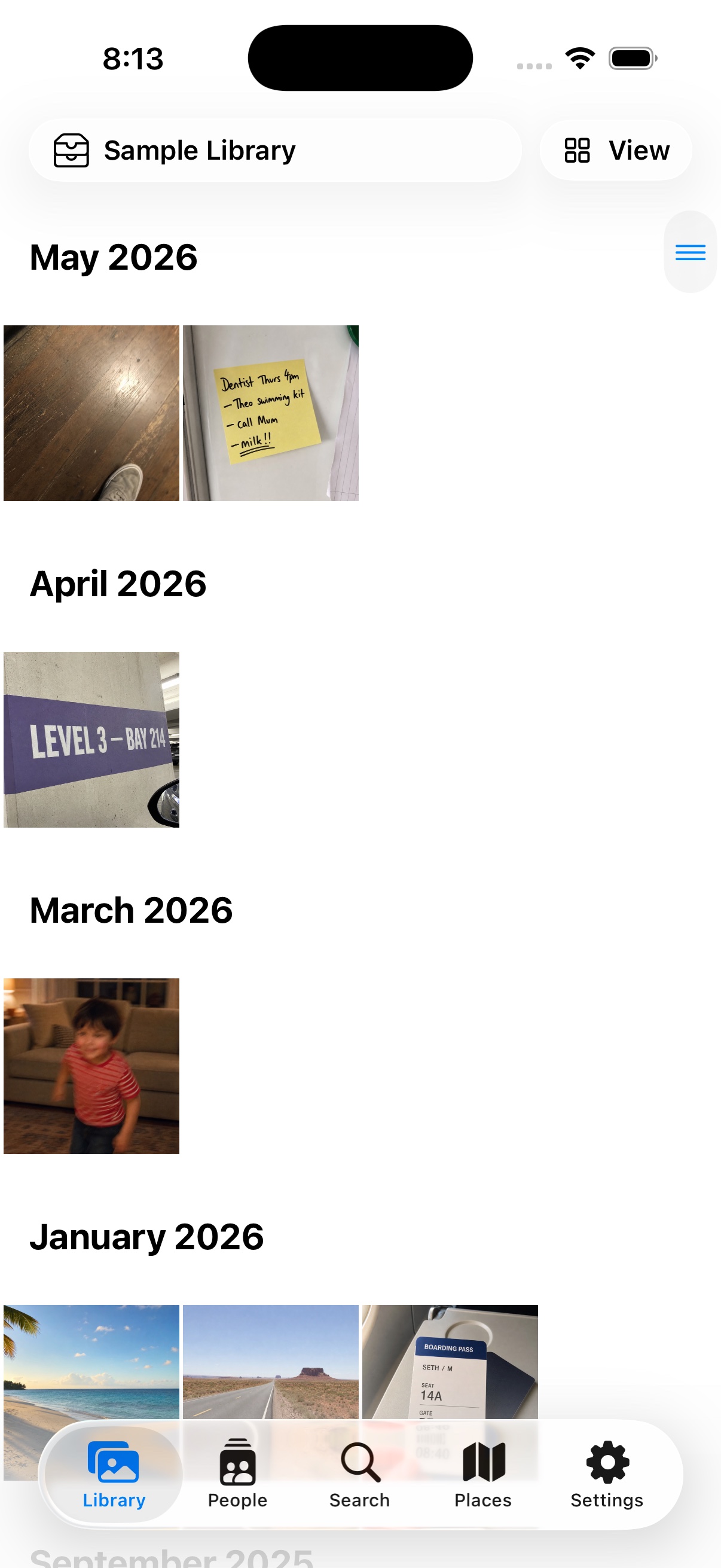
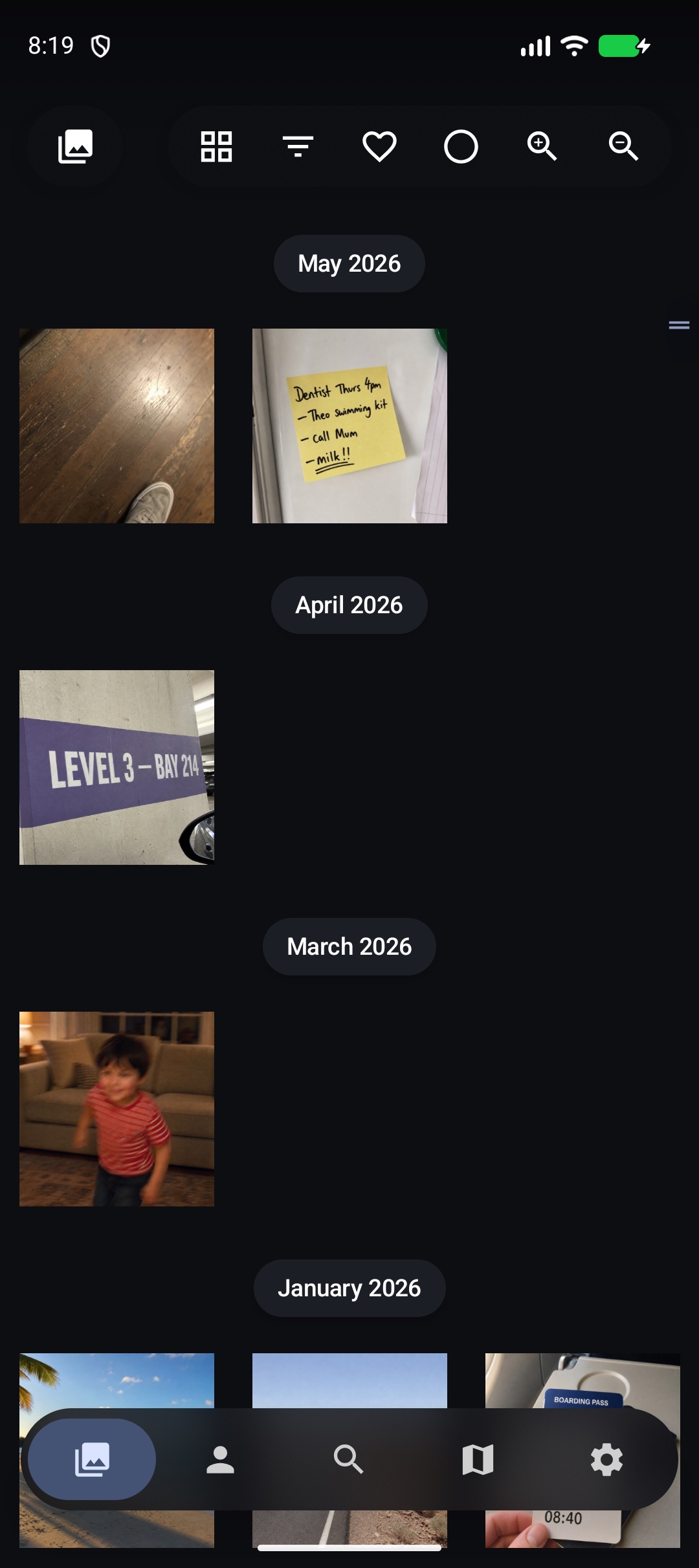
The LocalPhotos companion brings private libraries to iPhone, iPad, and Android. Sync directly with your Mac, open reachable storage, or turn an Android camera roll into a managed archive on the phone, an attached drive, or a NAS. Browse, search, organize, and edit without a LocalPhotos cloud. The apps are in release testing and are not yet on the App Store or Google Play.
- Encrypted sync over Wi‑Fi, a wired connection, or Tailscale
- Browse people and places, search, make albums, and recover recent deletions
- Keep chosen originals offline and edit photos or videos non-destructively
- Device, Camera Roll, external-drive, and NAS libraries — no LocalPhotos account
Simple, honest pricing.
No subscriptions. No cloud storage fees. Try everything free before you decide.
Free Trial
Explore every feature of LocalPhotos free for 21 days.
- Full face recognition
- Unlimited library size
- Duplicate detection & merging
- Zero cloud uploads
Full access for all 21 days. Afterward, processed libraries remain viewable; editing, new processing, export/share, library changes, and Companion Sync pause until purchase. Nothing is deleted and no payment is taken automatically.
Lifetime Pro
One-time purchase — a perpetual license to the current version.
- One payment, no subscriptions
- Yours to keep — use the version you buy
- Supports Apple Family Sharing
Your purchase is for the Software as it exists today and is provided as-is. It does not include or promise future feature upgrades, new versions, or guaranteed compatibility with future macOS releases. See the License Terms.
Common questions
Do my photos ever leave my Mac?
Your photos are never uploaded to LocalPhotos servers. Organizing stays on your Mac. If you enable Places, exact GPS coordinates are sent to Apple to resolve place names, and map viewport requests go to Apple Maps. Companion Sync and iCloud features connect only to the devices or Apple services you choose.
Do I need a subscription or an account?
No account, ever. LocalPhotos is a one-time purchase of US $34.99 after a 21-day free trial. There is no subscription and nothing to sign up for.
Is it hard to set up?
No. Point LocalPhotos at the folders where your photos already live and it does the rest. Your files stay in your own folders — nothing is moved or locked into a database.
What happens after the free trial?
The 21-day trial includes every feature with no feature caps. When it ends, everything already processed remains available to browse in view-only mode. Editing, imports, new processing, export and sharing, library changes, and Companion Sync pause until you buy Lifetime Pro. Nothing is deleted and no payment is taken automatically.
Can I see my photos on my phone?
The iPhone, iPad, and Android companions are in release testing and are not yet on the App Store or Google Play. They sync directly with your Mac and can also build private libraries from storage the device can reach.
Keep your memories yours.
Try LocalPhotos free for 21 days — every feature, no account, no cloud.